Showing posts with label Windows Apps. Show all posts

Tuesday, October 6, 2009

Free Anonymous Surfing

Operator is my clear first choice, a portable version of Opera with an included and well integrated Tor engine that uses the free Tor network. OperaTor is small and relatively fast, using just 6Mb of memory for it’s Tor engine, 2Mb for the Polipo caching proxy, 3Mb for the OperaTor loader and 18Mb for Opera. In my experience, OperaTor is by far the fastest browser, even with multiple proxies on the Tor network so that the browsing trail is frequently changing for greater security. Some people don't like the fact that OperaTor is not released with source code available (at least not that we have yet located) which may influence the choice in whether to use it or not. I believe that unless a user is proficient in programming, or at least reading the development language of any particular application, this becomes rather irrelevant, unless some amount of comfort or security might be perceived in knowing that source is available and others might be checking it even if the user of the application can not read it personally. Even closed source projects that become popular generally receive enough user and peer scrutiny that most problems would be quickly exposed.

JonDo anonymous network

JonDo (previously known as JAP) is my second choice and is in some ways a more flexible option, in that it is simply a Java application that performs the role of a local (PC based) proxy server that redirects browser requests via the JonDo (formerly JAP) network. This allows the user to configure their choice of any browser rather than requiring a change to Opera. Unfortunately, being Java based means that the application becomes somewhat bloated, requiring 54Mb of memory just for the Java JonDo application, as well as another few Mb for the JAP engine, and then whatever additional is required for the web browser of choice. JonDo does have quite a nice GUI display which shows the strength of the anonymity based on the number of anonymizing proxy servers, and takes care of managing the random proxy changes for greater anonymity. A commercial service known as JonDonym has been introduced which uses dedicated servers to provide higher speeds, higher levels of availability and more security along with support for chat, ftp and ssh in addition to web browsing. Another offering from the commercial JonDonym group is JonDoFox, a customized version of Firefox with JonDo code embedded along with other anonymizing optimizations. Unfortunately, JonDo not being a network like Tor is prone to some limitations in terms of the numbers of free servers, and some subsequent downtimes may be more likely with the smaller server base.

Vidalia using Tor anonymizing network

Vidalia is my third choice, a close match to JonDo in that it is quite a bit lighter in memory use and generally feels faster, but may not have the same level of anonymizing as JonDo. Vidalia is another integrated package using a combination of Privoxy and a Tor engine to connect to the Tor network, but it offers many new features. As with JonDo, Vidalia behaves as a local proxy for use by any browser, but it also provides configurations allowing it to run either as a simple standalone process or as a Windows service (for security and performance reasons, among others). Vidalia allows the user to participate in the anonymizing process by becoming a Tor Relay to help censored users in a similar way to becoming a BitTorrent relay, and a live realtime facility is available showing a map of the earth with lines representing connections to the Tor server participants. Vidalia uses 24 - 32Mb of memory, with an additional 4Mb used for Privoxy and another 16.5Mb for the Tor engine. One initially confusing aspect of Vidalia is that it provides a configuration access through port 9051, but it is not immediately obvious that Privoxy is listening on port 8118. Browsers using the Vidalia bundle must be configured to use the Privoxy port 8118 as the proxy server, not port 9051. Like JonDo, the Vidalia/Privoxy combination constantly changes proxy servers to mask the trail to provide greater anonymity.

Whatever your preference, both JAP and Tor networks offer a level of secrecy that is better than many commercial systems, though they are not watertight. Expect your surfing to slow down, in some case substantially, because you'll be relayed through a chain of servers, all heavily impacted by BitTorrent users seeking to hide from the RIAA. Note: the latest V5 release of JAP now allows Tor users to use JAP as a software access point to the Tor network.

XeroBank Firefox based browser

The XeroBank Browser (previously known as TorPark) provides a new customized version of the Firefox browser configured to work with the free Tor anonymizing service, or with a subscription service for higher speeds using dedicated servers, and other features. Firefox users may feel more comfortable with XeroBank, as it is based on Firefox, but also need not make any changes at all if they make use of either the JonDo or Vidalia bundles to access the Tor engine other than to set the proxy server, and of course, manual cleanup of the cache, cookies and browsing history after use. XeroBank claims to have many advanced features, but for the average user most of these may not be apparent, unless the subscription service is used. While the XeroBank browser is free to use on the Tor network, the XeroBank web site promotes the use of their subscription-based account. During installation, the XeroBank Browser offers the choice of using either the commercial XeroBank Client or the free Tor service. Caution! Some antivirus scanners report trojan infected code in the XeroBank download. Use http://jotti.org to verify all downloads, and use XeroBank and all other applications with caution, but be aware that some of the virus scanners used by jotti.org may also be overly zealous in their reporting of infections. Some claimed virus or trojan infections in various applications are no more than firewall detection, or software product key reporting capabilities mis-diagnosed by the scanner as a potential threat.

The downside of XeroBank as contrasted with using JonDo or Vidalia, is that you would need to use XeroBank for anonymous browsing and your regular browser for other surfing. Using JonDo or Vidalia, you can use the browser of your choice, and just reconfigure to use the proxy when you want to anonymous surfing. This won't automatically clean out all other personal data (cache, history, cookies etc.) when the application is shut down, which OperaTor and XeroBank do.

For all anonymizing services, check that you are running in anonymous mode by first browsing to one of many servers which reports your IP address, for example http://www.whatismyip.com/ and take note of your IP address. Reconfigure your browser to make use of the anonymizing service, and reload / refresh the browser and verify that the reported IP address has changed. Some IP reporting servers will also tell you which country, and even which city you now appear to be connecting from.

Most of the services reviewed are able to run directly from a USB flash drive if the executables are simply copied as is from their installation directories. This works really well, just plug your flash drive into any PC with a USB port, launch both the anonymizing proxy software and a browser, set the browser to redirect via the anonymizer and you will be in business. In the case of both OperaTor and XeroBank, all you need to is launch the browser from your flash drive and you will be ready to start browsing.

XeroBank XBMachine Live CD running under QEMU virtual machineWhile some 'LiveCD' applications such as XeroBank Machine and Incognito Live CD have been created and may provide similar functions, they mostly seem to be currently released in various stages of alpha or beta test versions and have bugs or limitations. For example, the XeroBank Machine provides two options. You can either run the xBMachine.exe from a Windows prompt which starts a QEMU virtual machine and then runs a GenToo Linux kernel, or by booting from a "Live CD". This Live CD boots the same customized GenToo Linux environment from CD without any Windows involvement. In simple terms, both xBMachine options simply provide a different "hardened" OS platform to run the Firefox based XeroBank Browser. Is LiveCD really useful? To some people, yes, not to me. It does mean that like SandBoxie, your guest operating system is protected from malicious web sites via your browsing, and when you stop the QEMU virtual machine or reboot the PC from hard disk rather than CD all traces are removed. I am a Unix / Linux geek so I am totally at home with them, but for the average person, I suspect the LiveCD and QEMU based options will provide a confusing level of complexity that will just interfere with their browsing and desire to be safe. Not much can beat truly safe browsing habits, whatever browser or add-on tools you use. xBMachine is a 380Mb zip file download, which unpacked yields a 391Mb ISO image to create a CD as well as another 10Mb or so of the QEMU environment. The QEMU hosted browser uses 292+Mb of XeroBank XBMachine Live CD running under QEMU virtual machinememory, requires the ISO image present, and took more than 5 minutes to load and be ready for use on a 1.8Ghz dual core Intel PC with 1Gb or memory. It provides a Linux X-Windows GUI with a profile configuration, a network configuration, xBBrowser, e-mail, Pidgin instant messenger, terminal and an option to configure for the paid subscription network. I don't know about you, but I am not willing to wait 5 or more minutes and have close to 300Mb of disk space tied up in a browser that took another minute or two to load, and then in my case never managed to connect out anyway. For those who feel that having source available makes a better product, go ahead and try to download the XeroBank source. All of the links gave me a 7Mb source zip file which was corrupted and would not open. Would this give you "open source available" feelings of security? I don't think so.

I'm a freeware and open source fan, I can read and write programs, but not when the source file is corrupted, and I am not likely to start poring through tens of thousands of lines of code even if I could unpack the source. Even if it does unpack, how do we know that exact source was used to build the tool, and not another set of customized source with a built in Trojan or spyware? The reality is that we really don't know unless we both inspect the source code and then compile it and compare the distributed executable.

One final comment on anonymizing, your browsing activities will never be 100% secure and guaranteed to be anonymous. It will be very difficult for anyone to trace you while browsing through the Tor network, except as reported in the Tor wiki, "when you access pages that use Java, Javascript, Macromedia Flash and Shockwave, QuickTime, RealAudio, ActiveX controls, and VBScript are all known to be able to access local information about your operating system and local network. These technologies will work over proxies and can tunnel the information back to their source."

http://www.techsupportalert.com

Monday, May 4, 2009

Windows XP integrated in Windows 7

In a few days, exactly April 30th, the Release Candidate of Windows 7, the operating system of Microsoft, will be available for download by MSDN and TechNet subscribers (public availability will begin on May 5th) and Microsoft announced that they have integrated in Windows 7 a feature Windows XP Mode (XPM).

Windows XP Mode is specifically designed to help small businesses move to Windows 7. Windows XP Mode provides you with the flexibility to run many older productivity applications on a Windows 7 based PC.

All you need to do is to install suitable applications directly in Windows XP Mode which is a virtual Windows XP environment running under Windows Virtual PC. The applications will be published to the Windows 7 desktop and then you can run them directly from Windows 7.

Windows XP Mode and Windows Virtual PC are best experienced on your new Windows 7 PC. We will be soon releasing the beta of Windows XP Mode and Windows Virtual PC for Windows 7 Professional and Windows 7 Ultimate.

WindowsVPC7_2


Specifically designed to help businesses move smoothly to Windows 7, Windows XP Mode runs using the Virtual PC technology. Thus, many applications designed for Windows XP can be installed and runned without risk of incompatibility on a PC with Windows 7 and a processor based virtualization.

Available for Windows 7 Professional and Windows 7 Ultimate, all information will be accessible directly from the desktop of Windows 7.

Windows XP mode


Source:

  • CrystalXP on your site (RSS Feed)


Thursday, December 4, 2008

Windows 7 Ultimate Milestone 2 (M2) Build 6589.1


INFO:

Windows 7 Milestone 2 Ultimate Edition is alive, kicking and as real as they get! Although it's but one year away from the moment Windows Vista hit the shelves, and despite being in the final stages of development of Windows Vista Service Pack 1 and Windows XP Service Pack 3, Microsoft is also building Windows 7.At this point in time,Windows 7 is being dogfooded inhouse by Microsoft. However, the successor of Windows Vista was also shipped in an early stage to a select pool of the Redmond company's key partners.

On January 24, you were able to feast your eyes on the first ever leaked screenshots from Windows 7 Ultimate Edition version 6.1
(Build 6519.1.x86fre.winmain.071220-1525), courtesy of ThinkNext.

Because of numerous accusations that the images had been tampered with, and were fake, the Chinese blog posted the video embedded at the bottom of this article. Yes, this is Windows 7

"I was about to share something interesting about Windows 7 in my last post,Windows 7: The Real Thing. The ISO image, bootable, installation, evaluation and the screenshots are all real. I mean there is no Photoshop or anything like that involved,"reads a fragment from ThinkNext."I'm not a person who makes himself complacent by faking something hot, neither will I be unhappy if someone denies the real information I posted. I don't mean to draw much attention, especially from those suckers.

Users that are running Windows Media Center under Vista Home Premium and Ultimate SKUs will undoubtedly notice differences when it comes to the WMC running in the Ultimate edition of Windows 7. While the interface is approximately the same, the text size has changed, and so has the number of categories.

In fact,Windows 7 M2 is nothing more than an artificially customized image of Windows Vista Service Pack 1, masquerading as the next version of Windows. Even more, there has been no official confirmation of Windows 7 Milestone 2 from Microsoft or from other sources. In this context, M2 is as good as inexistent.

Windows 7 M2 comes, as all software under development from Microsoft."I don't think there is anything wrong, disappointing or weird that Windows 7 Milestone 2 isn't greatly different from Vista. It's only Milestone 2 so lots of code may be reused. Besides, even we can't see much visual changes, that doesn't mean Win7 internals don't change greatly. Here from the release notes, I read: 'the software will stop running on June 2008. You may not receive any other notice. You may not be able to access data used with the software when it stops running'," added ThinkNext.


Screens & Features


The Real Windows 7 Ultimate Milestone 2 (M2) Build 6589.1


Bootable On ISO Format


Support About 90 Languages


Activated And Genuine Windows


Working Firewall And Updates


Milestone 2 Ultimate Edition 6589.1.

Try: Post your comment for the download link.

Wednesday, October 22, 2008

Microsoft Windows SHORTCUT Keys

Internet Explorer Shortcuts:


CTRL+A - Select all items on the current page
CTRL+D - Add the current page to your Favorites
CTRL+E - Open the Search bar
CTRL+F - Find on this page
CTRL+H - Open the History bar
CTRL+I - Open the Favorites bar
CTRL+N - Open a new window
CTRL+O - Go to a new location
CTRL+P - Print the current page or active frame
CTRL+S - Save the current page
CTRL+W - Close current browser window
CTRL+ENTER - Adds the http://www. (url) .com
SHIFT+CLICK - Open link in new window
BACKSPACE - Go to the previous page
ALT+HOME - Go to your Home page
HOME - Move to the beginning of a document
TAB - Move forward through items on a page
END - Move to the end of a document
ESC - Stop downloading a page
F11 - Toggle full-screen view
F5 - Refresh the current page
F4 - Display list of typed addresses
F6 - Change Address bar and page focus
ALT+RIGHT ARROW - Go to the next page
SHIFT+CTRL+TAB - Move back between frames
SHIFT+F10 - Display a shortcut menu for a link
SHIFT+TAB - Move back through the items on a page
CTRL+TAB - Move forward between frames
CTRL+C - Copy selected items to the clipboard
CTRL+V - Insert contents of the clipboard
ENTER - Activate a selected link
HOME - Move to the beginning of a document
END - Move to the end of a document
F1 - Display Internet Explorer Help


Windows Explorer Shortcuts:


ALT+SPACEBAR - Display the current window’s system menu
SHIFT+F10 - Display the item's context menu
CTRL+ESC - Display the Start menu
ALT+TAB - Switch to the window you last used
ALT+F4 - Close the current window or quit
CTRL+A - Select all items
CTRL+X - Cut selected item(s)
CTRL+C - Copy selected item(s)
CTRL+V - Paste item(s)
CTRL+Z - Undo last action
CTRL+(+) - Automatically resize the columns in the right hand pane
TAB - Move forward through options
ALT+RIGHT ARROW - Move forward to a previous view
ALT+LEFT ARROW - Move backward to a previous view
SHIFT+DELETE - Delete an item immediately
BACKSPACE - View the folder one level up
ALT+ENTER - View an item’s properties
F10 - Activate the menu bar in programs
F6 - Switch between left and right panes
F5 - Refresh window contents
F3 - Display Find application
F2 - Rename selected item


Windows XP Shortcut:


ALT+- (ALT+hyphen) Displays the Multiple Document Interface (MDI) child window's System menu
ALT+ENTER View properties for the selected item
ALT+ESC Cycle through items in the order they were opened
ALT+F4 Close the active item, or quit the active program
ALT+SPACEBAR Display the System menu for the active window
ALT+TAB Switch between open items
ALT+Underlined letter Display the corresponding menu
BACKSPACE View the folder one level up in My Computer or Windows Explorer
CTRL+A Select all
CTRL+B Bold
CTRL+C Copy
CTRL+I Italics
CTRL+O Open an item
CTRL+U Underline
CTRL+V Paste
CTRL+X Cut
CTRL+Z Undo
CTRL+F4 Close the active document
CTRL while dragging Copy selected item
CTRL+SHIFT while dragging Create shortcut to selected iteM
CTRL+RIGHT ARROW Move the insertion point to the beginning of the next word
CTRL+LEFT ARROW Move the insertion point to the beginning of the previous word
CTRL+DOWN ARROW Move the insertion point to the beginning of the next paragraph
CTRL+UP ARROW Move the insertion point to the beginning of the previous paragraph
SHIFT+DELETE Delete selected item permanently without placing the item in the Recycle Bin
ESC Cancel the current task
F1 Displays Help
F2 Rename selected item
F3 Search for a file or folder
F4 Display the Address bar list in My Computer or Windows Explorer
F5 Refresh the active window
F6 Cycle through screen elements in a window or on the desktop
F10 Activate the menu bar in the active program
SHIFT+F10 Display the shortcut menu for the selected item
CTRL+ESC Display the Start menu
SHIFT+CTRL+ESC Launches Task Manager
SHIFT when you insert a CD Prevent the CD from automatically playing
WIN Display or hide the Start menu
WIN+BREAK Display the System Properties dialog box
WIN+D Minimizes all Windows and shows the Desktop
WIN+E Open Windows Explorer
WIN+F Search for a file or folder
WIN+F+CTRL Search for computers
WIN+L Locks the desktop
WIN+M Minimize or restore all windows
WIN+R Open the Run dialog box
WIN+TAB Switch between open items

src:markiee.com

Friday, August 1, 2008

SpeedConnect Internet Accelerator

Top internet accelerator (according to PC Magazine), a network settings optimizer to speed up your existing Dial-Up Modem, DSL, Cable, Wireless, LAN, High-speed internet connections.

SpeedConnect Internet Accelerator is a powerful Windows application designed to optimize your network connection and speed up all your internet activities. This translates into a faster internet connection, faster browsing and email, faster downloads, faster online gaming, improved Skype connection.

Features:
* FASTER internet connection
* Browse FASTER
* Send and receive e-mail FASTER
* Download and upload files FASTER
* Play online games FASTER
* Improve Skype connection
* NO adware, NO hardware installation
* NO service subscription, NO monthly fees
* NO new hardware installation
FEATURES
* Optimizes all internet connection types
* User friendly
* Quick Optimizer option
* Advanced Customization
* Tool and Wizards
* Load/Save Settings
* Optimization Report
* Connection Analyze
r

Trial: Try Me

Thursday, July 17, 2008

NTFS4DOS 1.8 (read/write NTFS from DOS)

NTFS4DOS Private is the only free for private usage tool that allows unrestricted full read and write access to NTFS volumes. Thereby it is the ideal solution for offline AV scanning, backups or it might be used as an ERD solution.

NTFS4DOS Private is loaded as a simple program like a CD-ROM extension and can coexist with any other tools like TCP/IP network, AV-Scanners or ghosting software.

As a bonus you get an NTFS checkdisk application for DOS as well as a defragmentation utility for any FAT/NTFS volume for DOS.

NTFS4DOS Private is from the same authors then the famous "CIA Commander 2" and "CIA DRiVE.net" recovery tool.


This is a freeware, Download it Here:

Sunday, May 25, 2008

Burst Copy

burstcopy

BurstCopy ia a MULTI-AWARDED software. It is the hard-drive accelerator that significantly increases file transfer speed, while also providing you with a wealth of features. Its value and functionality have been acknowledged by several software websites.

awards

HIGH TRANSFER SPEEDS
By taking full advantage of the DMA support provided by your hard-drive, and using dynamically adjusted buffers to reduce seek times, BurstCopy will significantly reduce the time you spend waiting for files to transfer.

The transfer rate is displayed at all times. This way you will constantly know how fast the files are being transferred from source to destination.

With BurstCopy, any errors that you may typically encounter will not terminate your transfer. A friendly window will inform you of the error, and allow you to choose the appropriate action (skip, retry, abort). With its help you can easily recover from errors like unreadable files, temporary network disconnections, or a simple disk full.

Try now: :-)

Thursday, May 22, 2008

Flashboot


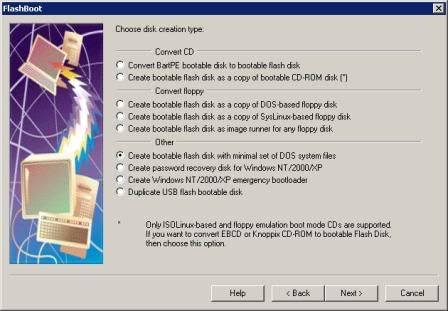
FlashBoot is a tool to create bootable USB disks, USB Flash Memory keys and cards mainly. What are the benefits of such devices for you? Let’s see: unlike the most bootable medias, bootable USB Flash keys are very handy: compared to floppies, they have much bigger size, speed and reliability, compared to CD-ROMs, they are random write access devices, so you can backup your data to the same media where you booted from, without need to reformat (reburn) the entire media. Also, the cost per MB for them continues to cut down lately, which is not the case for floppies and CD-ROMs...

Get a copy: look for the link... or google it! =)

Monday, May 19, 2008

The K-Lite Codec Pack has a couple of major advantages compared to other codec packs:

The K-Lite Codec Pack has a couple of major advantages compared to other codec packs:
- It it always up-to-date with the latest versions of the codecs.
- It is very user-friendly and the installation is fully customizable, meaning that you can install only those components that you really want.
- It has been very well tested, so that the package doesn't contain any conflicting codecs.
- It is a very complete package, containing everything you need to play your movies.

There are three versions of the K-Lite Codec Pack: Basic, Standard and Full.
• K-Lite Codec Pack Basic contains only the most essential things. It contains everything you need to be able to play the most popular and widespread formats. It is small enough to fit on a single floppy. Also great for including on your movie CDs.
• K-Lite Codec Pack Standard contains everything you need to play all the commonly used formats. This package should be enough for the average user.
• K-Lite Codec Pack Full contains even more codecs. It also has encoding support for the various formats. This package is for power users and people who do their own encodings.

Features of K-Lite Codec Pack 3.9.0 FULL version :

• Player :
- Media Player Classic [version 6.4.9.1 rev. 49]
• FFDShow :
- FFDShow [revision 1937]
- extra plugins
- FFDShow VFW interface
• DirectShow video filters :
- XviD [version 1.2 build 2008-01-10]
- DivX [version 6.8.2.6]
- On2 VP6 [version 6.4.2.0]
- On2 VP7 [version 7.0.10.0]
- MPEG-1 / MPEG-2 (Cyberlink) [version 8.1.0.1513]
- MPEG-1 / MPEG-2 (DScaler5) [version 0.0.8.0]
- MPEG-1 / MPEG-2 (Gabest) [version 1.0.0.3]
- MPEG-1 / MPEG-2 (MainConcept) [version 1.0.0.78]
- MPEG-1 / MPEG-2 (Ligos) [version 4.0.0.77]
• DirectShow audio decoding filters:
- AC3/DTS/LPCM/MP1/MP2 (AC3Filter) [version 1.46]
- Vorbis (CoreVorbis) [version 1.1.0.79]
- AAC (CoreAAC) [version 1.2.0.575]
• DirectShow audio parsers:
- MusePack (MONOGRAM) [version 0.9.1.2 | 0.3.1.2]
- WavPack (CoreWavPack) [version 1.1.1]
- FLAC (madFLAC) [version 1.8]
- Monkey's Audio (DCoder) [version 1.0]
- OptimFROG (RadLight) [version 1.0.0.1]
- DC-Bass Source [version 1.1.0.0]
- AC3/DTS Source (AC3File) [version 0.5b]
- AMR (MONOGRAM) [version 0.9.0.1]
• DirectShow source filters:
- AVI splitter (Gabest) [version 1.0.0.9]
- AVI splitter (Haali Media Splitter) [version 1.8.122.18]
- MP4 splitter (Haali Media Splitter) [version 1.8.122.18]
- MP4 splitter (Gabest) [version 1.0.0.4]
- Matroska splitter (Haali Media Splitter) [version 1.8.122.18]
- Matroska splitter (Gabest) [version 1.0.3.0]
- Ogg splitter (Haali Media Splitter) [version 1.8.122.18]
- Ogg splitter (Gabest) [version 1.0.0.1]
- MPEG PS/TS splitter (Gabest) [version 1.0.0.4]
- MPEG PS/TS splitter (Haali Media Splitter) [version 1.8.122.18]
- FLV splitter (Gabest) [version 1.0.0.4]
- CDDA Reader (Gabest) [version 1.0.0.2]
- CDXA Reader (Gabest) [version 1.0.0.2]
• DirectShow subtitle filter:
- DirectVobSub (a.k.a. VSFilter) [version 2.38]
• Other filters:
- Haali Video Renderer [version 1.8.122.18]
• VFW video codecs:
- XviD [version 1.2.0-dev build 2007-07-25]
- DivX Pro [version 6.8.2.6]
- x264 [revision 721bm]
- On2 VP6 [version 6.4.2.0]
- On2 VP7 [version 7.0.10.0]
- Intel Indeo 4 [version 4.51.16.2]
- Intel Indeo 5 [version 5.2562.15.54]
- Intel I.263 [version 2.55.1.16]
- huffyuv [version 2.1.1 CCE Patch 0.2.5]
- I420 (Helix) [version 1.2]
- YV12 (Helix) [version 1.2]
• ACM audio codecs:
- MP3 (LAME) [version 3.97]
- AC3ACM [version 1.4]
- Vorbis [version 0.0.3.6]
- DivX ;) Audio [version 4.2.0.0]
• Tools:
- Codec Tweak Tool [version 2.2.4]
- GSpot Codec Information Appliance [version 2.70a]
- MediaInfo 0.7.6.3
- VobSubStrip [version 0.11]
- GraphEdit [build 061102]
- Haali Muxer [version 1.8.122.18]
- AVI Fixed [version 2.0b1]
- FourCC Changer
- Bitrate Calculator

Changes from K-Lite Codec Pack 3.8.5 FULL to K-Lite Codec Pack 3.9.0 FULL :

- Updated Media Player Classic to version 6.4.9.1 rev. 49
- Updated ffdshow to revision 1937
- Updated Cyberlink MPEG-2 decoder to version 8.1.0.1513
- Updated madFLAC to version 1.8
- Updated Haali Media Splitter to version 1.8.122.18
- Updated DivX encoder to version 6.8.2.6
- Updated x264VFW to revision 808
- Updated MediaInfo Lite to version 0.7.6.3
- Changed default DivX decoder to ffdshow (on Win2000/XP)

Features of K-Lite Codec Pack 3.9.0 STANDARD version :

• Player :
- Media Player Classic [version 6.4.9.1 rev. 49]
• FFDShow :
- FFDShow [rev. 1937]
- FFDShow VFW interface
• DirectShow source filters :
- AVI splitter (Gabest) [version 1.0.0.9]
- AVI splitter (Haali Media Splitter) [version 1.8.122.18]
- MP4 splitter (Haali Media Splitter) [version 1.8.122.18]
- MP4 splitter (Gabest) [version 1.0.0.4]
- Matroska splitter (Haali Media Splitter) [version 1.8.122.18]
- Ogg splitter (Haali Media Splitter) [version 1.8.122.18]
- FLV splitter (Gabest) [version 1.0.0.4]
- MPEG PS/TS splitter (Gabest) [version 1.0.0.4]
- MPEG PS/TS splitter (Haali Media Splitter) [version 1.8.122.18]
• DirectShow video decoding filters:
- MPEG-2 (Cyberlink) [version 8.1.0.1513]
• DirectShow subtitle filter :
- DirectVobSub (a.k.a. VSFilter) [version 2.38]
• Tools :
- Codec Tweak Tool [version 2.2.4]
- GSpot Codec Information Appliance [version 2.70a]
- MediaInfo 0.7.6.3
- VobSubStrip [version 0.11]

Changes from K-Lite Codec Pack 3.8.5 STANDARD to K-Lite Codec Pack 3.9.0 :

- Updated Media Player Classic to version 6.4.9.1 rev. 49
- Updated ffdshow to revision 1937
- Updated Cyberlink MPEG-2 decoder to version 8.1.0.1513
- Updated Haali Media Splitter to version 1.8.122.18
- Removed Gabest Matroska splitter
- Updated MediaInfo Lite to version 0.7.6.3
- Changed default DivX decoder to ffdshow (on Win2000/XP)

Features of K-Lite Codec Pack 3.8.0 BASIC version :

• DirectShow video filters:
- XviD [version 1.2.0-dev build 2007-07-25]
• DirectShow audio filters:
- AC3 (AC3Filter) [version 1.46]
• DirectShow subtitle filter:
- DirectVobSub (a.k.a. VSFilter) [version 2.38]
• Tools:
- Codec Tweak Tool [version 2.2.4]
- GSpot Codec Information Appliance [version 2.70a]
- VobSubStrip [version 0.11]

Changes from K-Lite Codec Pack 3.7.0 BASIC to K-Lite Codec Pack 3.8.0 :

- Minor changes.

Important Note :

- The K-Lite Codec Pack works only on Windows 2000/XP/2003/Vista.

Get Here:
Download K-Lite Codec Pack 3.9.0 Full, Standard and Basic

Thursday, May 15, 2008

Hiren's Boot CD (All in One Package for PC diagnostics)

Hiren's BootCD 9.5 | 94,8 mb
All in one Dos Bootable CD which has all utilities

http://www.hiren.info/pages/bootcd

Get copy: email me @ fierfly08@yahoo.com


Hiren's BootCD From USB Flash Drive (USB Pen Drive)

Step 1
Put the BootCD 8 or newer in CD Drive

OR
If you want to extract boot files from iso then Download extract-boot-files.zip
Extract and open readme for more instruction. and skip to step 4

Step 2
Start Mini Windows 98

Step 3
Copy Files From A:\ (Floppy Drive) using Explorer to C:\USB and Restart Computer to normal Windows

OR
Note: if you can not see your hard drive from mini windows 98 then you will need a blank floppy disk.
click Start > Turn Off > Exit to Dos and type COPY A:\*.* B:\
Now remove floppy and Restart Computer to your normal Windows and insert your floppy disk
and copy all files from floppy disk to C:\USB

Step 4
Download USB Disk Storage Format USB Disk Storage Format (34KB)
Screenshot

Note: USB Disk Storage Format works on xp, for windows 98 Go to My computer and
Right click on the USB Drive and click on format. You will need a USB Flash Drive 128MB or more

Screenshot
Step 5
Copy All Files From C:\USB to Your USB Flash Drive
Please note: Do not overwrite IO.SYS when it prompts
Delete JO.SYS from USB Drive (NOT IO.SYS)

Step 6
Copy \BOOTCD folder to Your USB Drive

Step 7
Test Your USB Drive


Wednesday, May 14, 2008

Anti Malware - Assassin SE 5.1.1

Assassin SE 5.1.1

Assassin SE is a new and powerful tool which was specially designed to recover your PC from all types of malware. Whether you are a computer expert or not Assassin SE will work for you. With the addition of such features as the Ratings System and over 11,000 process definitions; mingled with a user-friendly interface, the World renowned power of Assassin has become accessible to all folks regardless of their level of computer knowledge and/or skill set.

Our exclusive process termination technology is powerful enough to kill 99.9% of all processes despite any known technology used to prevent it such as filtering Windows Messages, using helper files, or cloning. You will never have to boot into Safe Mode or change your system configurations again!

Homepage: http://blacklistsoft.com/
Download: http://www.mediafire.com/?jwmayzi3jbs

.Net Framework 2.0 is required for installation of assassin. Download Here: .Net Framework 2.0

File Size: 1.5 MB

Wednesday, April 23, 2008

EDraw - Draw detailed Computer Diagrams and Symbols

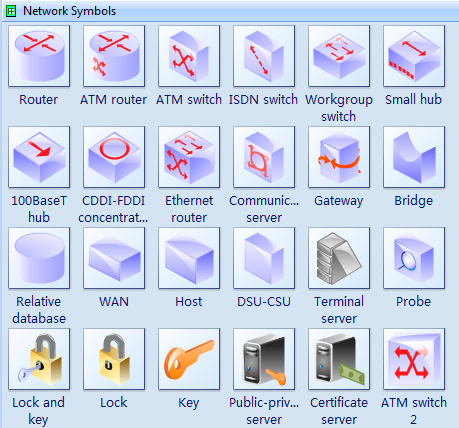
Network Symbols

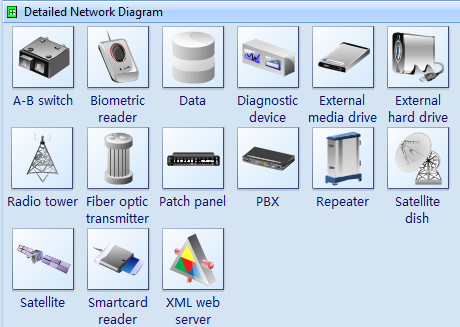
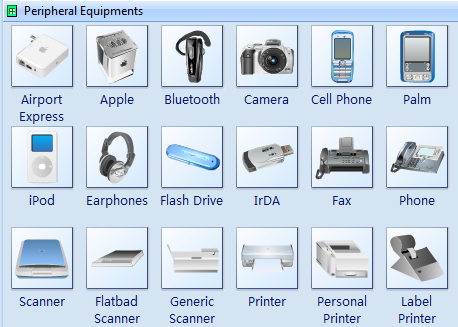
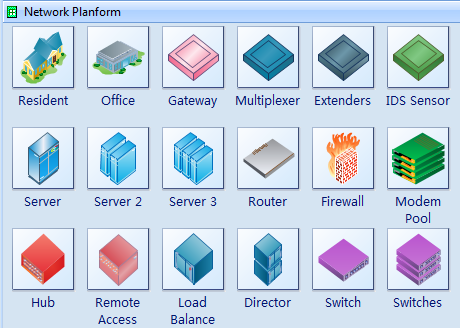
Draw detailed Computer Network Diagrams, Designs, Schematics, and Network Maps with EDraw in no time! Pre-drawn network symbols representing computers, network devices plus smart connectors help create accurate diagrams and documentation. Special libraries of highly detailed, accurate shapes and computer graphics, servers, hubs, switches, printers, mainframes, face plates, routers etc. for Computer Network, Telecommunications, Wireless Internet, Power, Storage and other equipment. All the symbols are free to download.

Detailed Network Diagram Symbols

Detailed Network Diagram Symbols

Network Physical Devices Symbols

Network Physical Devices Symbols

Network Planform Symbols

Network Planform Symbols

Logical Network Symbols

Logical Network Symbols

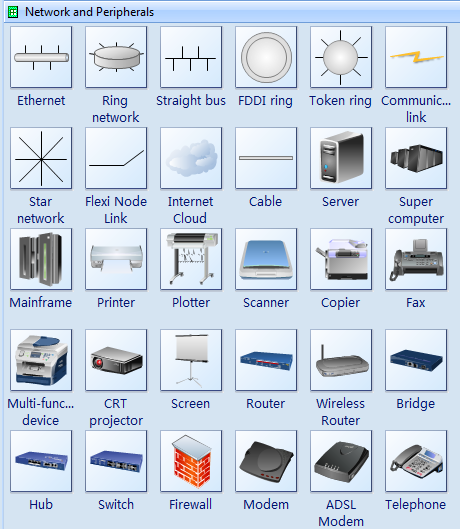
Network and Peripherals Symbols

Network and Peripherals Symbols

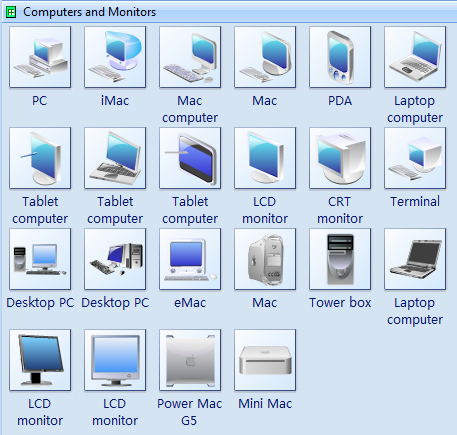
Computer and Monitor Symbols

Computer and Monitor Symbols

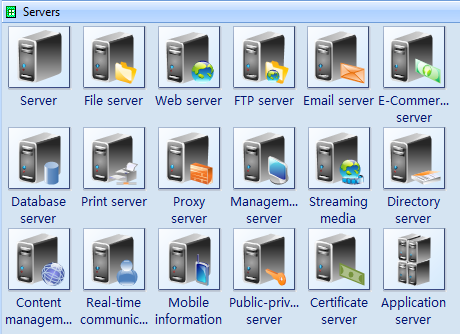
Servers Symbols

Servers Symbols

Need fresh looking network symbols for your network diagrams? These network symbols are a cinch to pop in. And their crisp, fine detail will make spectacular, easy-to-understand diagrams and presentations to your customers. With the wide variety of LAN and WAN symbols in this set, you can make changes quickly and easily.

Saturday, April 12, 2008

WindowsBlinds

WindowBlinds is a one-of-a-kind utility that allows Windows users to completely change the look and feel of the Windows interface by applying a new skin. There are thousands of different skins to choose from that are freely downloadable from the WindowBlinds website.

A WindowBlinds skin can make Windows look like an alternative operating system, like their favorite sports or car brand, or something completely new. Because WindowBlinds uses the latest hardware acceleration features of modern video cards, WindowBlinds won't slow down your computer and uses very little memory.

WindowBlinds is safe and easy to use. It doesn't alter any system files and users can switch between the default Windows look and feel and a custom WindowBlinds skin with the click of a button. In addition, WindowBlinds has been tested to ensure it works with Windows Vista, so you know it is compatible, reliable,, and more secure.


Screenshots:


http://www.stardock.com/products/windowblinds

Aston Desktop Theme

Aston is a shell replacement application, which gives you to get a completely new, powerful and easily configurable desktop, making your computing a more pleasant and productive experience.

Aston completely replaces your old desktop with a new one, providing numerous additional features and saving your computer's resources for more necessary tasks. By installing Aston you get a lot more than just a fancy look, you get a more efficient way of using your computer.


www.astonshell.com


Winstep Desktop Theme

The Award-Winning NextSTART, by Winstep Software Technologies , is a powerful, skinnable, and dynamic pop-up menu system that can be used as a replacement or supplement to the Windows Start Menu and Taskbar. NextSTART also offers an incredible amount of flexibility so that the user can customize it to his needs and wishes.


www.winstep.net